
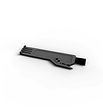
Cleaning Tool

What You Need: (click to shop)
Dustbin & Filters Maintenance
Replace the filter every 6 months.
1. Open the dustbin by pulling and dump out any dust residue inside.
2. Remove any congestion inside
3. Open the filter cover on top of the dustbin. Remove any congestion inside; then remove and dust off the filters.
4. Wash or wipe the dustbin and air dry all parts completely before putting them back together.
Clean the dustbin and dust off the filters about once a month.
Filters should be replaced about once every six months.


Brush Maintenance
Replace the brushes every 12 months.
1. Flip Bio around and remove the brushes completely and the parts that hold them in place. Use a soft surface to protect the SLAM LiDAR when flipping Bio
2. Remove debris from the brushes and brush sockets.
3. Pinch the tab on the main brush gate and lift.
4. Clean the main brush and all its components, including the brush gate and brush compartment.
Clean Bio's brushes around once a week.


Front Wheel Maintenance
1. Using a flat head screwdriver for leverage, grip the wheel firmly and pull.
2. Once the wheel is removed, remove two screws on the wheel assembly, then use the screwdriver to pry out the wheel assembly.
3. Clean the wheel and all its components, including the assembly and wheel socket
4. Replace both parts when done. Push down to lock them into place.
Remove and clean the front wheel about once a week.


Sensors & LiDAR Maintenance
Important Note: Use a cloth to wipe the sensors and the LIDAR.
1. Wipe the edge sensors and bumper.
2. Wipe the charging plates on Bio
3. Wipe the cover of the SLAM LiDAR. Avoid touching the inner parts or inserting items into the LiDAR.


Self-Empty Station Maintenance
1. Wipe the charging nodes and transmitter window on Bio's station. Inspect the disposal vent to ensure smooth flow of air and clean any dust residue.
2. Open the lid on top of the station and pull up on the cardboard card to remove the dust bag from its container.
3. Inspect and clean the dust bag container from any debris build up or any blockage for free flow of air.
4. Empty and reinstall the dust bag, sliding the card into the guard rails completely.


Battery Maintenance


Browse Support Guides


Shop Parts & Accessories
Need a part for your Bio? We've got you covered.
Visit the bObsweep Shop
Still need help? We’re always eager to chat!